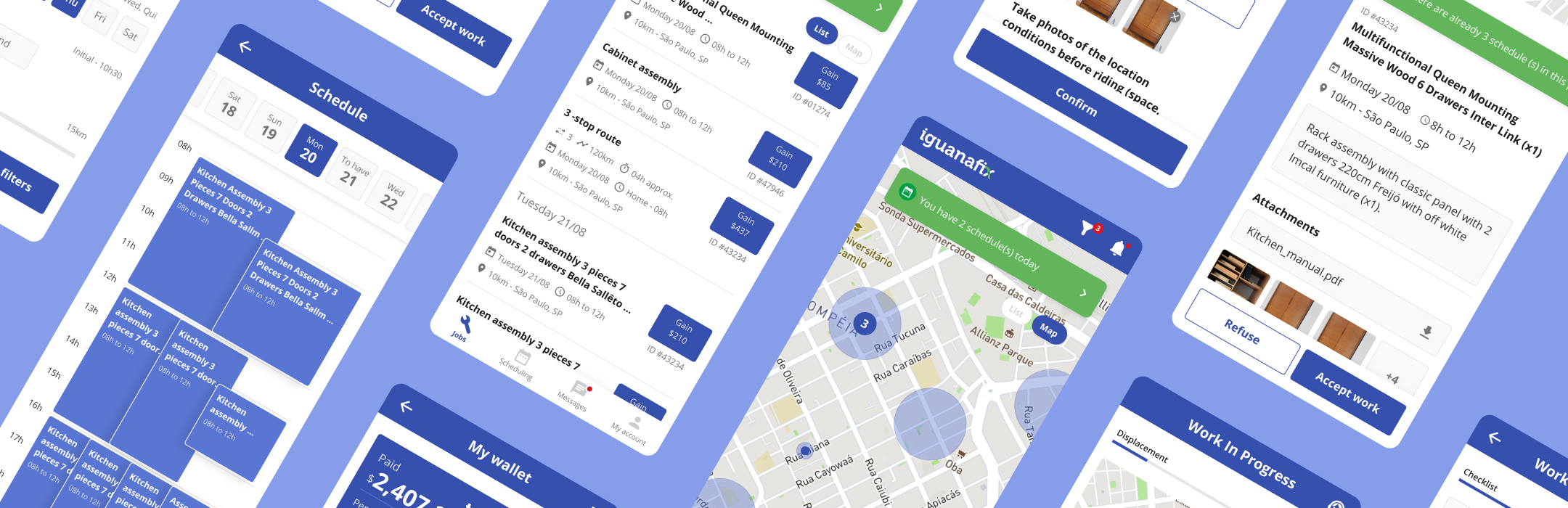
Recently acquired by MadeiraMadeira, IguanaFix is a platform operating in the furniture assembly sector. The company connects customers who have purchased furniture and want it assembled with local service providers. The app, designed for registered professionals, displays available service requests in their area.
The main goal of the app redesign was to enhance the experience of service providers on the platform. To achieve this, it was necessary to introduce new features, make substantial improvements to workflows, and refine the app's visual design.
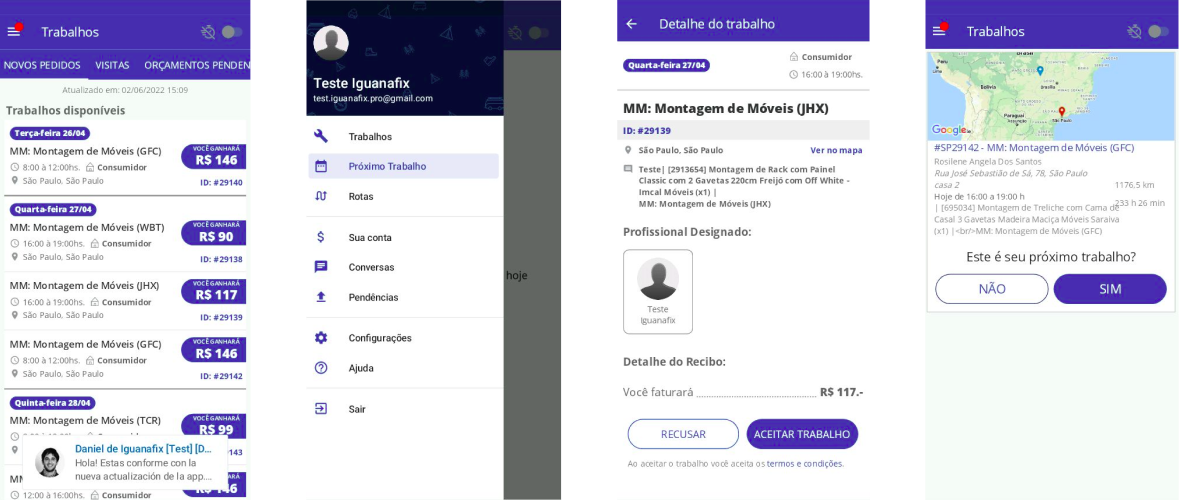
Screens from the old version of the app
With the objective defined, a thorough analysis was conducted to identify areas for improvement in the app and address the main user pain points. These were categorized as follows:
Unintuitive Navigation
Some screens featured horizontal scrolling tabs, which made it difficult to access crucial areas of the app, pushing them out of the user's field of view.
Redundant Flows
The app had multiple workflows leading to the same information. This redundancy caused confusion among users, who believed they were dealing with different functionalities.
Lack of Hierarchy
Service details lacked a clear distinction between primary and secondary information. This was particularly problematic during travel to the service location, when professionals needed to quickly identify the most important details.
During the research phase, new perspectives were explored to address the identified issues and implement improvements effectively.
Benchmarking
To analyze functionalities and usability, a benchmarking study was conducted, comparing direct and indirect competitors.
Tasker (TaskRabbit) – A service provider app focused on home repairs, which displays service requests in a calendar format, helping professionals better organize their workload.
iFood for Delivery Drivers – A food delivery app with a minimalist design, prioritizing only essential information. This approach is crucial for drivers who need to stay focused on the road while making deliveries.
Information Architecture and Userflows
Due to the observed issues, the app’s architecture and workflows needed to be redesigned. The improvements aimed to enhance usability by bringing clarity to functionalities and sections within the app.
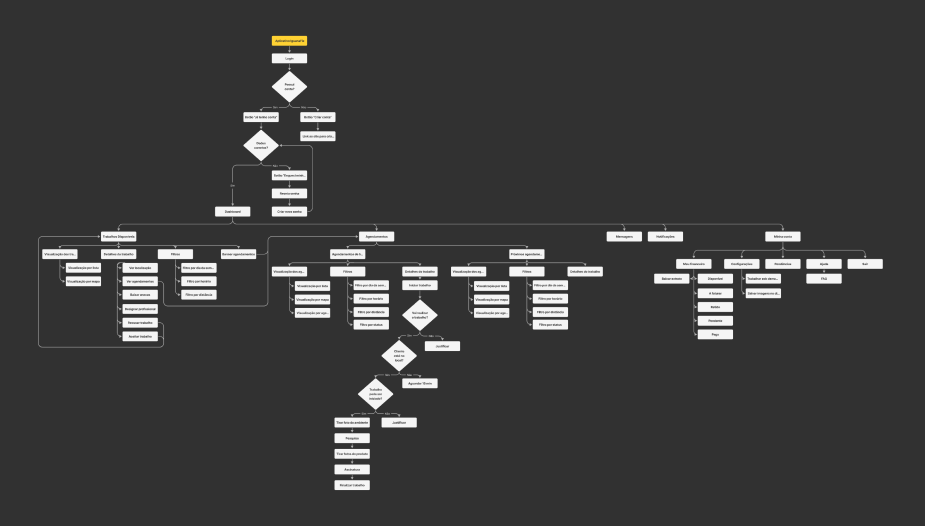
New information architecture of the app
The wireframes were developed based on the new workflows established, with the aim of improving the visibility of elements on the app interface. Relevant information for service providers was prioritized, focusing on enhancing their overall user experience.
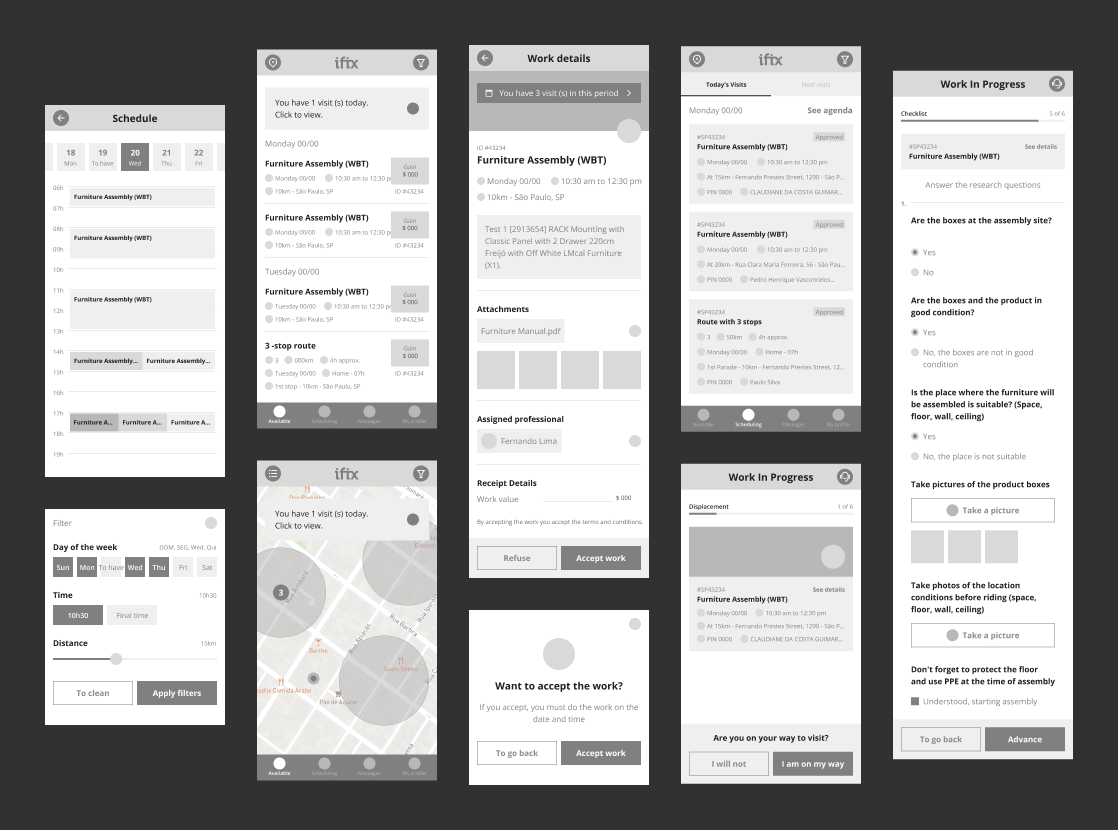
Wireframesof the new app
The components were developed to ensure a cohesive and consistent visual standard across all screens of the app. During this process, accessibility guidelines were considered, including the selection of appropriate color contrasts, legible font sizes, and suitable dimensions for clickable areas.
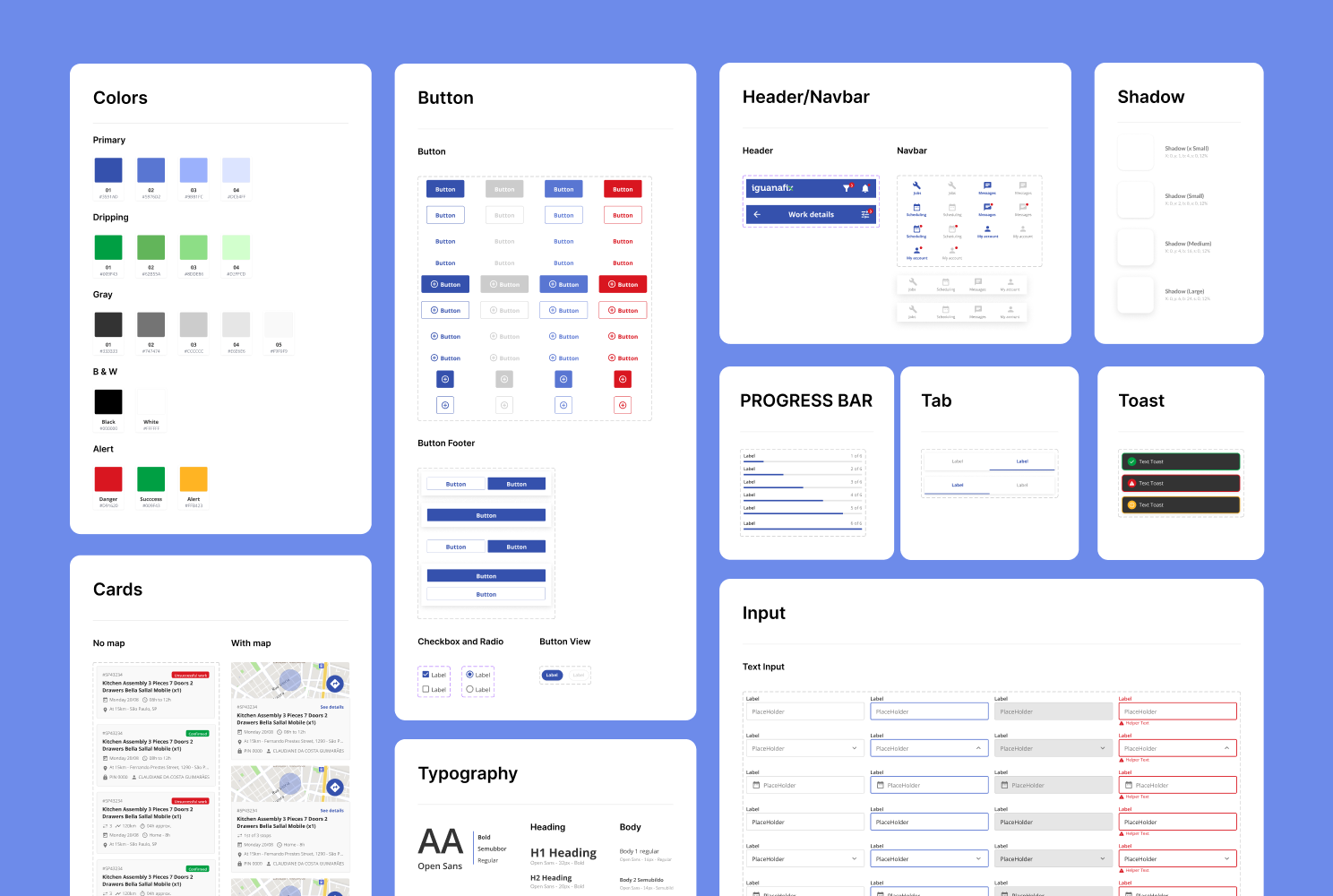
Design System for the app redesign
The app redesign brought improvements both in screen flows and in additions that ensure better usability.
Available Jobs
In this section of the app, a daily schedule banner was added to remind professionals of their tasks and ensure there are no scheduling conflicts. The navbar now displays the main sections at the bottom of the screen, making interaction more intuitive and accessible. Additionally, the service filters and map view offer flexibility in searching for opportunities, catering to the preferences of each professional.
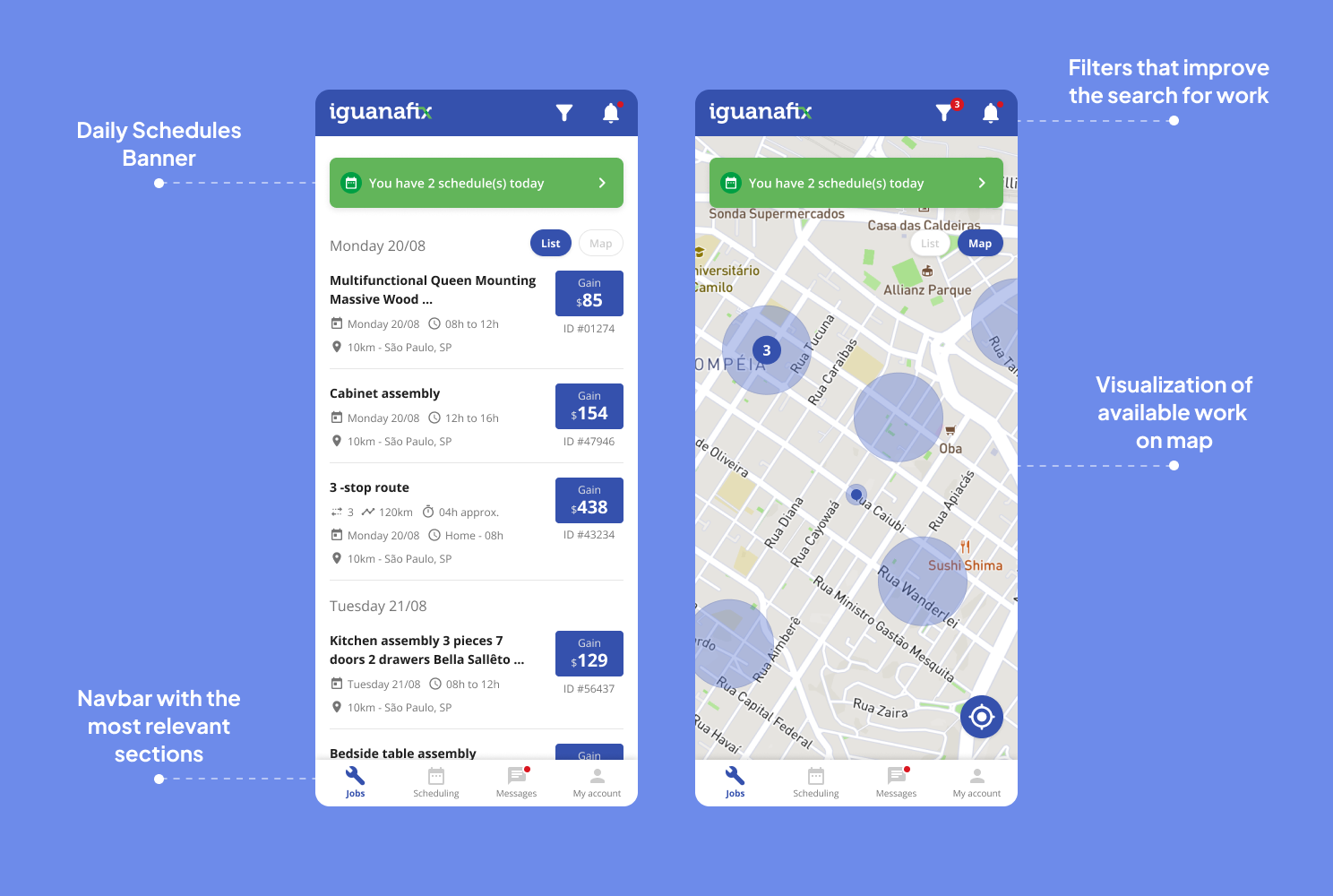
Redesign of the Available Jobs screens
Upcoming Jobs
The "Upcoming Jobs" tab was previously renamed and split into "Today's Schedule" and "Upcoming Schedule" for the current and future jobs, respectively. The information hierarchy in the scheduling cards was restructured to present details concisely to professionals, such as the times, addresses, and types of services to be performed. Additionally, a calendar view was added to provide even greater control over the schedule.
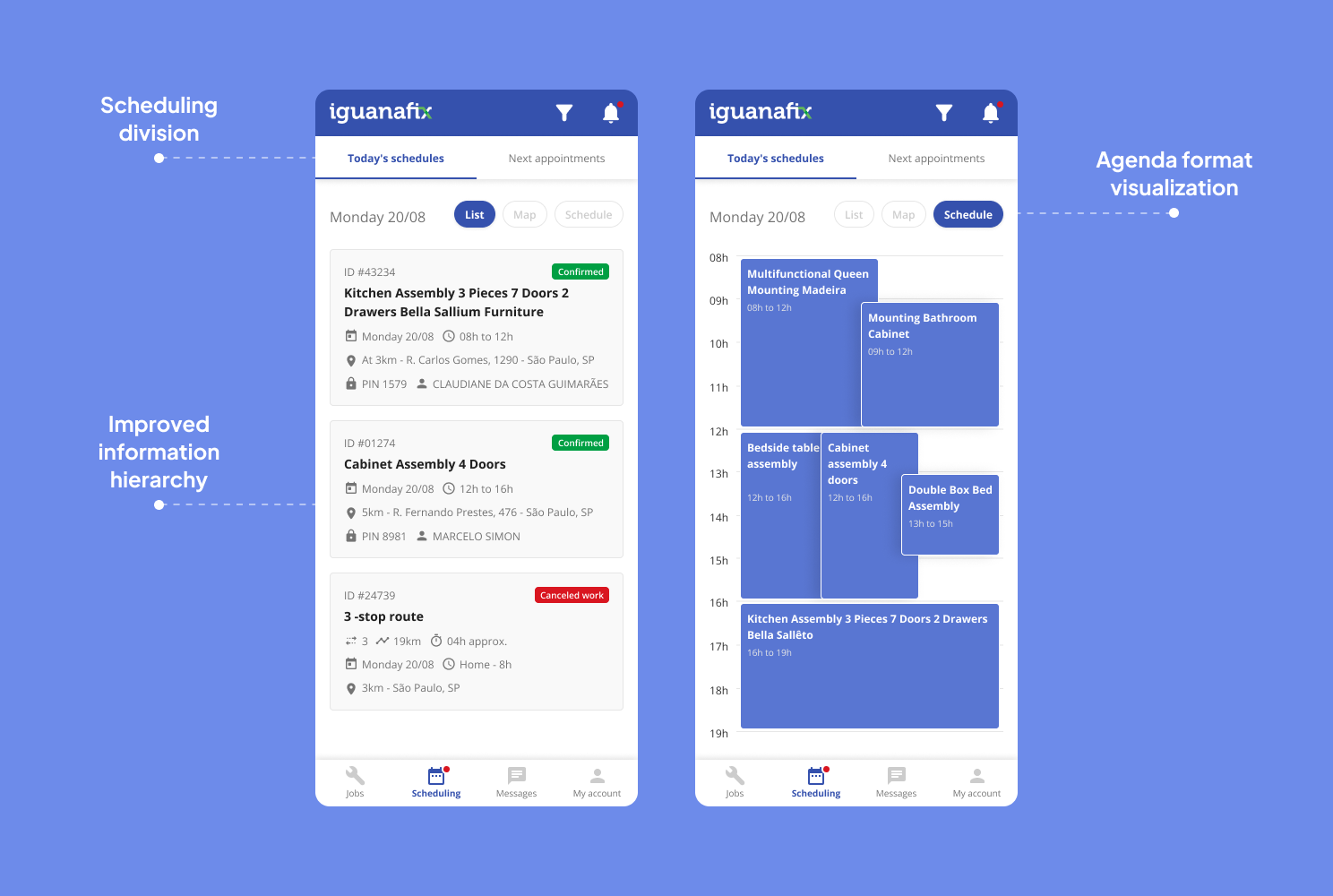
Redesign of the Upcoming Jobs screens
Details and Jobs in Progress
The professional can accept jobs within the same time period without setting a fixed time, allowing them to arrive at the location between 8 AM and 12 PM, for example. To manage potential scheduling conflicts, a banner was added in the job details section to prevent service congestion if other appointments are scheduled for the same time. Additionally, attachments now include assembly manuals, helping the professional better visualize the task at hand. Finally, the "In Progress" screen shows the stages of the service and includes a help center for any issues that may arise.
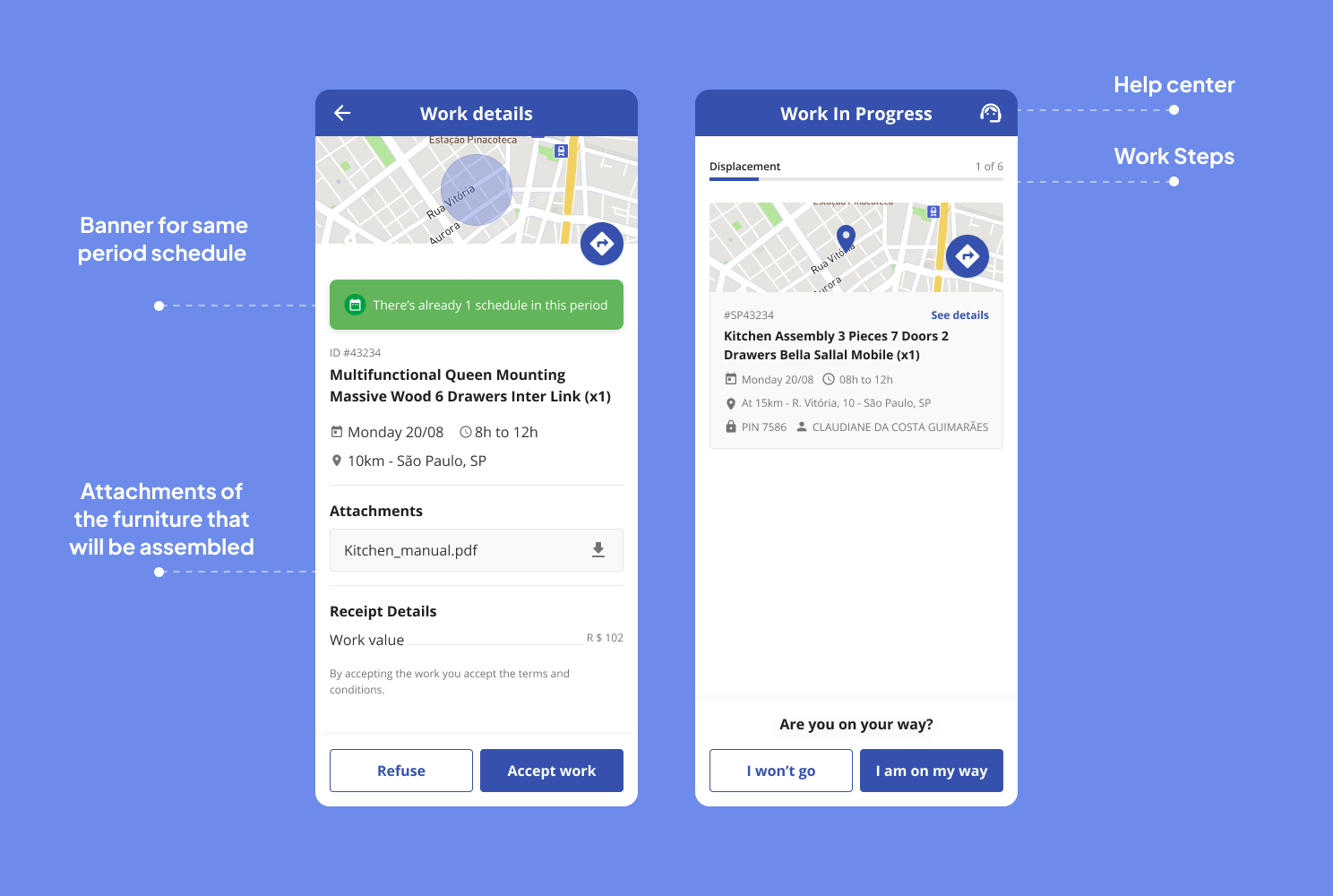
Redesign of the Job Details and Jobs in Progress screens
In this project, I established direct contact with the client and participated in the project’s direction. From the beginning to the delivery for development, I was involved in every stage of the app's redesign process. The exchange of information regarding the challenges faced by the assemblers and the research conducted played a crucial role in understanding the users' needs. The next steps for the app’s evolution include the continuous collection of user feedback, aiming to improve usability and expand the app’s functionalities.